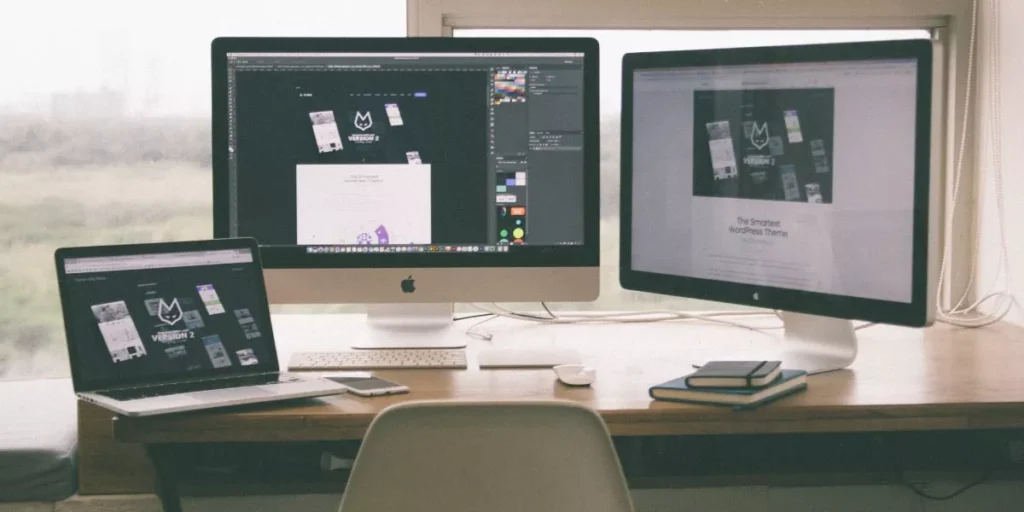
Having a dual-monitor setup in your office can revolutionize the way you approach tasks and manage information. The benefits go beyond just having additional screen space; they extend to enhancing your productivity, streamlining workflows, and improving organization. Imagine the possibilities that open up when you have double the screen real estate at your disposal. The advantages are clear, but there’s more depth to explore in how this setup can truly optimize your work environment.
Increased Screen Real Estate
By utilizing a dual-monitor setup, you can expand your screen real estate, enhancing your productivity and multitasking capabilities. With two monitors, you have the ability to have multiple applications and documents open simultaneously without having to constantly switch between tabs or windows. This means you can have your email open on one screen while working on a report on the other, making it easier to reference information and stay organized.
Having increased screen real estate also allows you to compare information side by side more effectively. For example, you can have a spreadsheet open on one screen while referencing data from a website on the other screen. This setup can be particularly useful for tasks that require research, data analysis, or content creation.
Furthermore, the extended desktop space provides a more comfortable working environment by reducing clutter on your main screen. You can spread out your work across two screens, making it easier to focus on individual tasks without feeling overwhelmed by a crowded workspace.
Enhanced Multitasking Abilities
Boost your productivity with a dual-monitor setup by taking advantage of its enhanced multitasking abilities. Having two screens allows you to work on multiple tasks simultaneously, making you more efficient. For example, you can have your email open on one screen while working on a project on the other. This setup eliminates the need to constantly switch between tabs or windows, saving you time and reducing distractions.
With dual monitors, you can compare documents side by side, drag and drop files between screens, and reference information more easily. This boosts your ability to handle complex tasks that require referencing multiple sources of information. Additionally, you can attend virtual meetings on one screen while taking notes on the other, enhancing your ability to participate actively without losing track of important details.
The ability to view more information at once can improve your decision-making process and overall workflow. By utilizing a dual-monitor setup, you can increase your multitasking capabilities and streamline your work processes effectively.
Improved Workflow Efficiency
Enhancing your workflow efficiency can be achieved through the strategic utilization of a dual-monitor setup. With two screens at your disposal, you can seamlessly switch between different applications, reference materials, or communication channels without the need to constantly minimize and maximize windows. This setup allows you to keep important information readily available on one screen while working on tasks on the other, eliminating the time wasted on toggling back and forth.
Moreover, a dual-monitor configuration enables you to compare documents side by side, copy and paste between different sources with ease, and drag files across screens effortlessly. This enhanced visual workspace can significantly speed up your workflow by reducing the time spent on searching for specific windows or information. Additionally, you can spread out your work for better organization and multitask efficiently without feeling cluttered. By streamlining your processes and improving your access to critical resources, a dual-monitor setup can boost your overall productivity and effectiveness in the workplace.
Better Information Organization
To further optimize your workflow with a dual-monitor setup, improved information organization becomes effortless as you can easily categorize and access multiple sources simultaneously. With the ability to spread out your work across two screens, you can keep reference materials on one monitor while working on another, making it simpler to cross-reference information and stay focused on the task at hand.
By having more screen real estate available, you can open multiple windows side by side without having to constantly switch between tabs or applications. This setup allows you to compare data, analyze information, and input data more efficiently. Whether you’re conducting research, analyzing reports, or managing multiple projects, having two monitors enhances your ability to organize and process information seamlessly.
Additionally, a dual-monitor setup enables you to keep your main tasks on one screen while monitoring emails, messages, or notifications on the other. This separation of tasks leads to better concentration, improved productivity, and a more organized workflow overall.
Trending Products